
Yandex YML for OpenCart: XML Product Feed Export

As a store’s product range grows, manually preparing product files for different platforms becomes time-consuming. The Yandex YML module for OpenCart generates an XML product feed and lets you configure its contents: select categories, exclude individual products, add UTM tags and set delivery parameters. It is a practical tool for stores that need to send catalog data to external platforms and manage their feeds from one admin panel.
Supported platforms and use cases
According to the module’s feature description, feeds can be prepared for Yandex Market and used to submit product data to Yandex Direct, as well as to MegaMarket (formerly SberMegaMarket) and AliExpress. Check each platform’s requirements for XML structure, mandatory attributes and feed content before publishing.
YML feeds were also used for Yandex Turbo Pages. This use case is now outdated: Yandex has discontinued the Turbo Pages service, so the module should not be purchased for creating new Turbo Pages.
Need to upload or update your catalog quickly?
Get help with product import and export, data migration, and bulk catalog updates in OpenCart. Tell us what you need, and we’ll discuss the right solution.
Discuss your projectConfiguring the product XML feed
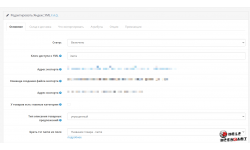
The module lets you select product categories for export and exclude items using a product blacklist. This helps you control which products are included in the feed and omit items that should not appear on a particular platform.
You can add UTM tags to product URLs to track visits in analytics tools. The feed can also include gift certificates, where this is suitable for the selected listing workflow.
Images and delivery settings
When generating a large feed, the module can retrieve images directly from the server without using the image cache. This reduces reliance on cached images during feed generation. You can also configure the delivery period, including the hour at which the estimated delivery date rolls over to the next day.
Available options and formatting rules depend on each platform’s requirements. After generating the XML file, check its contents and make sure it meets the current requirements of the channel where you plan to submit your catalog.
Who is the module for?
The module is useful for OpenCart store owners who need to export products in XML to multiple marketplaces and advertising platforms. Category and product filters, UTM tracking, delivery settings and image handling help tailor the feed to your store’s needs and simplify regular catalog exports.
Before purchasing, check that the module is compatible with your OpenCart or ocStore setup, and review its installation and configuration requirements.
Module in the topic
Leave a Comment