Captcha PIN for OpenCart
Download Captcha PIN for OpenCart
Available Options
Description
PIN Captcha for OpenCart – Protecting Standard Forms from Robots
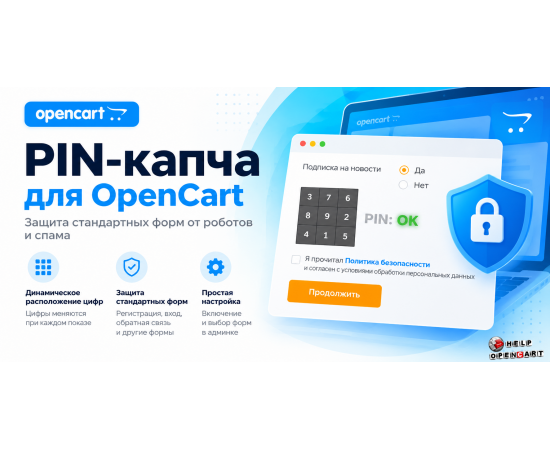
Protect your OpenCart online store from automated requests, spam, and unwanted registrations with a simple and intuitive PIN Captcha. This module adds user verification before form submission, helping reduce automated requests and unwanted data in your store.
Unique PIN captcha with dynamic number placement
Instead of the familiar and often inconvenient captcha, the buyer sees a compact digital table. They must pass verification and confirm that the action is being performed by a human.
The module's key feature is that the digits change position each time the captcha is displayed. This makes the verification less predictable for simple automated scenarios and helps complicate automated form filling.
Main features of the module
Protection for standard OpenCart forms. This module is designed for connecting to standard online store forms.
Dynamic digit placement. Each time the PIN captcha is displayed, the digits are placed differently.
Simple user verification. Visitors don't have to decipher complex images or enter long character combinations.
Flexible setup. Enabling protection and selecting connection forms are done through the store settings.
Integration with standard OpenCart mechanisms. The module can be used to protect supported forms without changing the existing checkout or registration process.
Customer convenience. The compact checkout interface keeps the page clutter-free and helps maintain a comfortable shopping experience.
What forms is the module suitable for?
PIN-captcha can be connected to standard OpenCart forms supported by the module, for example:
registration of a new buyer;
authorization in your personal account;
password recovery;
feedback;
Subscribing to news;
other standard forms for which integration is provided.
Availability of specific forms depends on the OpenCart version, store configuration, and compatibility with installed modifications.
Easy installation and setup
After installing the module, simply go to your store settings, enable protection, and select the required forms where the PIN captcha should be displayed. This allows you to implement additional user verification exactly where your online store needs it.
Why should you install PIN captcha?
Automated requests, fake account registrations, and spam form submissions create unnecessary workload for store administrators. PIN CAPTCHA helps make it more difficult for simple bots to complete the verification process while maintaining a clear and quick verification process for real buyers.
PIN-captcha for OpenCart is a simple tool for additional protection of standard forms without unnecessary complexity for customers.
Before purchasing, check the module's compatibility with your OpenCart version and installed modifications. Captcha improves form resilience against simple automated attacks, but it doesn't guarantee complete protection against all types of bots.
Specifications
| Compatibility | |
| Php version | 7,4 |
| Add-ons and extensions | |
| Совместимость | OpenCart 3.x.x OcStore 3.x.x |