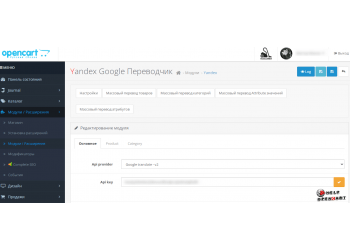
IMSeoUrl SEO Generator Module CHPU
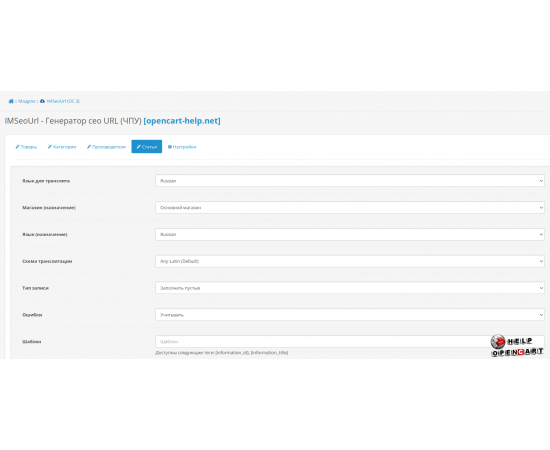
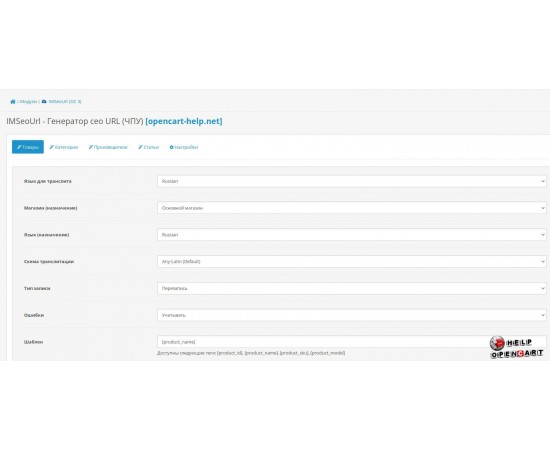


Download-Module IMSeoUrl SEO Generator CNC
Description
IMSeoUrl Module for OpenCart 3: Complete Guide
In recent years, with the increasing competition in online trading, the importance of search engine optimization (SEO) has become a key factor for a successful business. One of the tools that helps improve the visibility of online stores is the IMSeoUrl module. In this article, we will take a detailed look at this module, its installation via FTP and its features.
Description of the IMSeoUrl module
IMSeoUrl is a module created specifically for the third version of OpenCart. Its main task is to simplify the URL structure, making them more understandable for both users and search engines. By using this module, you can transform the standard dynamic URLs of your store into more "readable" and SEO-optimized ones.
One of the key benefits of IMSeoUrl is the ability to use "human-readable" addresses. This means that the URL will contain keywords related to the product or category, which increases the chances of getting into search results. For example, instead of a URL like https://yourstore.com/index.php?route=product/category&path=20 , you would have https://yourstore.com/категория/ваш-продукт .
The module also allows you to customize meta tags, which are important SEO elements. You will be able to set titles, descriptions, and keywords for each page. This will significantly improve the visibility of your site in search engines such as Google, Yandex, and others.
Installing the module via FTP
The process of installing IMSeoUrl via FTP is relatively simple, but requires attention to detail to avoid errors. First of all, you will need access to the server where your online store is located. Below is a step-by-step process for installing the module.
Preparing for installation
Before you begin installation, make sure you have the following information:
- Access to an FTP client. It is recommended to use clients such as FileZilla or WinSCP.
- Archive with the IMSeoUrl module, which you can download from the official website of the developer or from a reliable source.
- Login and password to access your server.
Installation process
Download and unzip the archive : Download the archive with the IMSeoUrl module and unzip it on your computer. You should see several folders and files.
Connecting to the server : Using your FTP client, connect to your server by entering the address, login and password.
Copying files : Find your OpenCart directory, usually the
public_htmlorwwwfolder. Go to thecatalogfolder and thencontroller. Copy the contents ofcontrollerfolder from your unzipped IMSeoUrl archive to this directory. Repeat this process for the rest of the folders, such asview,language, andmodel.Uploading admin files : Also, be sure to upload the files to the admin folder. This will allow you to manage the module through the admin panel.
Checking the installation : After the files are copied, open the OpenCart admin panel and go to the module installation section. Find IMSeoUrl in the list of installed modules. If the module is installed correctly, it will be displayed in the list.
Post-installation and configuration
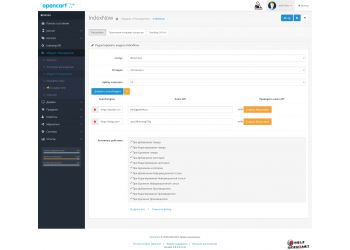
After successful installation, the IMSeoUrl module setup stage comes. To do this, you need to go to the settings and set the parameters that will be used to generate the URL. This includes:
- Setting up meta tags for each product and category.
- Setting URL routes for different pages.
- Define redirector rules for old URLs if they change.
Don't forget to test how your URLs have changed after activating the module. You can do this by simply opening several pages of your store in your browser.
Working with the IMSeoUrl module
After successfully installing and configuring the IMSeoUrl module, you will need to use it to optimize your online store. Let's look at how to work with this module as efficiently as possible to get excellent results.
URL Optimization
One of the most important tasks is URL optimization. You need to make sure that your page addresses are logical and contain keywords related to products or categories. For example, for the product "Adidas sneakers" you should not use a URL like https://yourstore.com/product?id=123 , but rather https://yourstore.com/adidas/krossovki .
IMSeoUrl provides flexible tools for customizing URLs. You can add prefixes or suffixes, or use default settings if you don't need specific options.
Setting up meta tags
Meta tags play an important role in SEO. They serve to describe the content of the page and help search engines understand what your site is about. IMSeoUrl provides the ability to customize meta tags for each product and category. It is recommended to highlight keywords and phrases that your potential customers may use during their search.
Make sure your meta descriptions are unique for each page, as duplication can negatively impact SEO.
Analysis of results
It's also worth paying attention to the rankings of your pages in search engines. You can use tools like Google Search Console to monitor what queries are bringing users to your site and what your pages rank for those queries.
Maintaining the current state
It’s important to remember that SEO is not a one-time practice. To achieve consistent results, you need to regularly update your site, create quality content, and monitor search engine algorithm changes. Keep in mind that URL and meta tag optimization is only part of the overall SEO picture.
Review your URLs and meta tags regularly, updating them to reflect current trends and your users’ needs. Also, try to stay up-to-date with SEO news and changes so you can adapt your strategy accordingly.
Conclusion
The IMSeoUrl module for OpenCart version 3 is a powerful tool for improving the SEO optimization of your online store. Thanks to it, you can easily create clear and logical URLs, as well as customize meta tags, which significantly improves the visibility of your site in search engines.
The FTP installation process requires attention, but with the right approach, you can successfully complete it and proceed to the settings. Working with the module provides flexibility and the ability to optimize, which is critical for the successful functioning of an online business. Do not forget about regular analysis and updating of your content to maintain high efficiency of your actions.
Use the power of IMSeoUrl not only to improve your current rankings, but also as a strategic tool for the long-term growth of your online store.
Specifications
| Add-ons and extensions | |
| Совместимость | OpenCart 3.0.2.0 php 7.1 |